
Every business that has run a CRM for more than a few years eventually faces the same decision: keep maintaining the legacy system you already own, or invest in a modern CRM. In a legacy CRM vs modern CRM comparison, the trade-off is rarely about features alone; it’s about total cost, risk, and what the system is quietly costing you in missed automation and lost insight. This guide breaks down both sides so decision-makers can make the call with numbers, not assumptions.
Legacy CRM vs Modern CRM: Quick Comparison
| Factor | Legacy CRM | Modern CRM |
|---|---|---|
| Deployment | On-premise, local servers | Cloud-based, accessible anywhere |
| Upfront Cost | Already sunk (paid years ago) | Subscription, tiered/per-user pricing |
| Maintenance | High and rising (heavy IT time) | Low (vendor handles updates & patches) |
| Access | Desk-bound | Web + mobile, anywhere |
| Integrations | Limited, custom-coded | Native / API integrations |
| Automation & AI | Minimal or none | Lead scoring, workflows, predictive AI |
| Data | Siloed by department | Unified 360° view, real-time analytics |
| Security & Compliance | May require additional controls and modernization | Modern security controls and compliance capabilities are typically available, depending on the platform and configuration |
| Scalability | Constrained by infrastructure | Elastic (grows with the business) |
What Is a Legacy CRM System?
A legacy CRM is a system that has become difficult to maintain, integrate, secure, scale, or adapt to current business requirements regardless of whether it is hosted on-premise or in the cloud. A system that a business keeps running because it works “well enough” and replacing it feels disruptive. These systems were capable when they launched, but they typically lack cloud access, modern integrations, automation, and the scalability that newer platforms treat as standard.
Legacy systems hold on for two understandable reasons. The first is familiarity: teams know the workflows, so day-to-day training needs are low. The second is sunk cost (the license was paid for long ago, so the system looks free on the balance sheet).
That “free” label is misleading. Maintenance costs climb as hardware ages and vendor support winds down, and IT teams burn hours troubleshooting instead of building. Add incompatibility with modern tools, and the real cost of “keeping what works” is often higher than a new subscription.
What Is a Modern CRM?
It is a connected platform designed to bring customer data, business processes, integrations, automation, analytics, and AI together in one environment. It is built for how businesses actually operate today: real-time analytics, automation, AI-assisted decisions, and seamless connections to the tools teams already use (email marketing, ERP, support desks, and social channels).
Three advantages matter most in a cost-benefit comparison:
Scalability
Add users, data, and integrations without re-architecting infrastructure, and the platform grows with you.
Mobility
Web and mobile access keeps sales and service teams productive on the road, not tethered to a desk.
Security and Compliance
Encryption, role-based access, and built-in support for GDPR and CCPA come standard, closing gaps older systems can’t easily cover.
Cost Analysis: Legacy CRM vs Modern CRM
Cost is where most legacy-vs-modern decisions are won or lost, so it helps to compare the full picture, not just the license line.
| Cost Area | Legacy CRM | Modern CRM |
|---|---|---|
| Licensing/Subscription | Low or none (already sunk) | Predictable per-user subscription |
| Infrastructure & Hosting | Servers, power, backups, real estate | Included in the subscription |
| Maintenance & IT Support | High and rising | Minimal (vendor-managed) |
| Upgrades | Costly and disruptive | Automatic and continuous |
| Downtime & Security Risk | Growing with system age | Low, SLA-backed |
| Opportunity Cost | High (missed automation & insight) | Recaptured through efficiency |
Initial investment
A modern CRM has a visible upfront cost, like subscription fees, configuration, and training, while a legacy system may appear to cost nothing new. But tiered pricing lets you start with the plan that fits, and the efficiency gains typically offset the outlay within the first year.
Maintenance costs
This is the hidden swing factor. Legacy systems demand ongoing troubleshooting, patched-together fixes, and specialist knowledge that gets scarcer every year. Cloud CRMs shift that burden to the vendor. Updates, patches, and security are handled for you, freeing IT for higher-value work.
Hidden costs of legacy CRM
The costs that don’t show up on an invoice are often the largest: data-loss risk from aging infrastructure, slow customer response from siloed records, and missed revenue from the lack of real-time insight.
The ROI of Switching to a Modern CRM
Does a modern CRM actually pay for itself? For most businesses, yes. Independent research from Nucleus Research puts the average CRM return at $8.71 for every $1 invested, driven by higher sales, better retention, and lower operating costs.
For some organizations, productivity gains and reduced maintenance costs can offset implementation costs relatively quickly, but the payback period depends heavily on the size, complexity, and scope of the migration.
Where the return comes from:
Revenue
Automation of lead scoring, campaigns, and follow-ups keeps more deals moving.
Retention
A 360° customer view enables personalized, timely service.
Cost recovery
Retiring aging infrastructure removes rising maintenance bills.
Better decisions
Real-time analytics and forecasting replace guesswork.
When to Replace, Modernize, or Integrate?
| Situation | Best Approach |
|---|---|
| CRM is stable but disconnected | Integrate |
| CRM works but lacks automation | Modernize |
| Platform is unsupported | Replace |
| Data quality is poor | Clean + Migrate |
| Customizations are causing problems | Re-architect |
| CRM can’t meet security requirements | Replace |
Benefits Beyond Cost: Where Modern CRM Pulls Ahead
Data accessibility
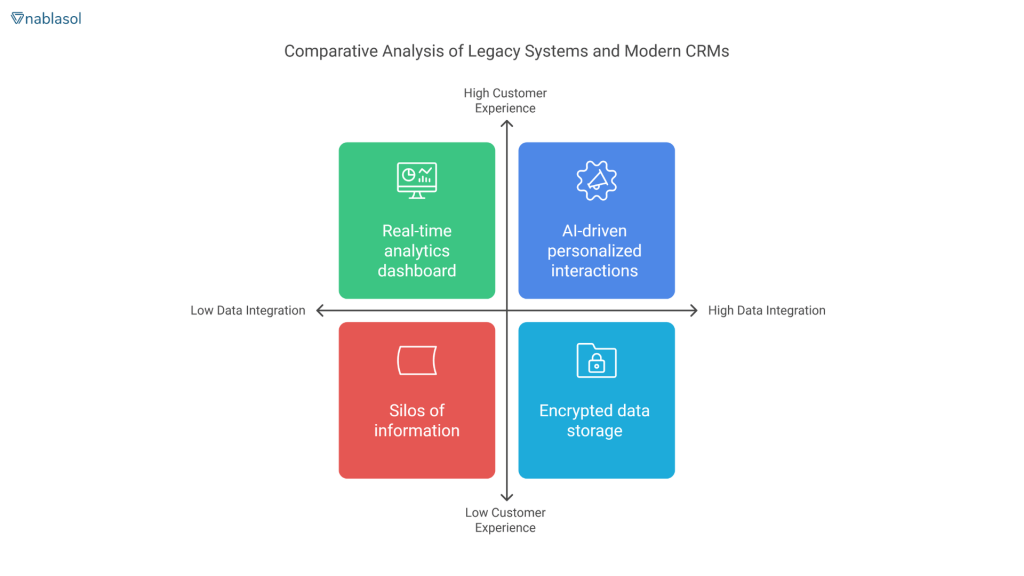
Legacy systems store information in departmental silos. A modern CRM unifies it into a single, real-time view of each customer, so teams act on the same facts instead of stale exports.
Customer experience
AI-driven insights and automated workflows let modern platforms personalize interactions at scale something rigid legacy systems struggle to do.
Scalability
Whether you’re adding users, entering new markets, or handling more data, a modern CRM flexes to fit. Legacy infrastructure tends to cap growth.
Compliance and security
With encrypted storage and access controls built to current standards, modern CRMs reduce the regulatory exposure that older, pre-GDPR systems carry.
Transition Challenges (and How to De-Risk Them)
Switching from a legacy system to a modern CRM is not without challenges. The common obstacles, and how to handle each:
Employee resistance
Involve users early and appoint internal champions; adoption, not software, decides success.
Data migration
Audit and clean data before moving it, and validate in stages rather than all at once.
Customization needs
Map your must-have workflows first so configuration is scoped, not open-ended.
Cost concerns
Start on a tier that fits and expand as ROI proves out.
A phased rollout, early user involvement, and experienced implementation support turn a daunting switch into a routine project.
Weighing a switch? Nablasol has deployed 263+ digital solutions and 125+ system integrations.
Talk to our team for a no-obligation assessment of your current CRM and what a migration would actually involve.
Is SugarCRM a Modern Alternative to Legacy CRM?
SugarCRM (SugarAI) can be considered a modern CRM option for businesses looking to move beyond legacy systems, particularly when they need more flexibility, automation, and connectivity than their existing platform provides.
Key capabilities to evaluate include:
Customization
Configure modules, fields, dashboards, and workflows around existing business processes.
Integrations
Connect CRM data with ERP, marketing, finance, support, and other business systems through APIs and integrations.
Automation
Automate repetitive processes such as lead management, follow-ups, data updates, and workflow routing.
Analytics
Provide reporting, dashboards, forecasting, and customer insights to support faster decision-making.
AI
Use AI capabilities for predictive insights, recommendations, summarization, and other CRM workflows.
Scalability
Support growing users, data volumes, processes, and integrations without relying on the infrastructure of an aging on-premise system.
However, SugarCRM is one option among several modern CRM platforms. The right choice depends on factors such as the organization’s existing technology stack, business processes, integration requirements, customization needs, budget, and migration complexity.
For companies replacing a legacy CRM, the priority should be to evaluate which platform best addresses the limitations of the existing system, rather than choosing a platform based on features alone.
When Should You Replace Your Legacy CRM? A Quick Checklist
Replace or modernize your legacy CRM when three or more of these are true:
- Maintenance and support are eating a growing share of IT time or budget.
- Your team can’t access customer data on mobile or outside the office.
- Data lives in silos, and no one has a single, current view of the customer.
- The system can’t integrate with the tools you rely on today.
- There’s no automation; reps still do lead scoring and follow-ups by hand.
- Compliance (GDPR/CCPA) support is bolted on or missing.
- Vendor support is winding down or already gone.
If most of these sound familiar, the cost of staying is already higher than the cost of switching.
CRM Automation: A Key Advantage of Modern CRM
One of the biggest differences between legacy and modern CRM systems is the ability to automate repetitive processes. While legacy CRMs often require manual data entry and follow-ups, modern CRM platforms can automate workflows across sales, marketing, and customer service.
Common CRM automation use cases include:
Lead management
Automatically capture, score, assign, and route leads to the right team.
Follow-ups
Trigger personalized emails, reminders, and tasks based on customer or prospect activity.
Data management
Automatically update records, reduce duplicate entries, and keep customer information consistent.
Workflow management
Automate approvals, notifications, task assignments, and case routing.
Customer service
Route inquiries, surface relevant customer information, and trigger escalation when human intervention is needed.
Reporting
Automatically update dashboards and provide real-time visibility into pipeline and customer activity.
The value is not automation for its own sake. The goal is to reduce manual work, improve consistency, and allow teams to spend more time on higher-value customer and business activities.
AI-powered workflow automation can take this further by connecting CRM data with other business systems and automating more complex processes.
Conclusion: The Real Cost-Benefit Verdict
In a legacy CRM vs modern CRM comparison, legacy systems win on short-term familiarity and modern CRMs generally offer stronger capabilities for integration, automation, scalability, and analytics, but replacing a legacy system is not automatically the right decision. The best approach depends on the system’s current condition, business requirements, data, integration landscape, and total cost of ownership.
For most businesses ready to grow, a modern CRM isn’t an expense to justify but an investment that pays back inside a year and keeps paying. The practical next step is a clear-eyed look at what your current system actually costs you.
See what a switch would look like for your business.
Book a free 30-minute CRM assessment with Nablasol; we’ll review your current setup, outline a migration path, and give you a realistic cost and timeline. Get in touch →
Frequently Asked Questions
How much does it cost to switch to a modern CRM?
Modern CRM is typically priced per user per month, so cost scales with team size rather than a large upfront license. Budget for three things: subscription, configuration/customization, and data migration. Tiered plans let you start small.
What are the biggest risks of keeping a legacy CRM?
The main risks are rising maintenance costs, data-loss exposure from aging infrastructure, compliance gaps under GDPR/CCPA, and missed revenue from the lack of automation and real-time insight. As vendor support fades, these risks compound. For IT decision-makers, the vendor-management and security burden of an unsupported legacy system is often the tipping point.
What are the signs that a legacy CRM needs to be replaced?
Common signs include rising maintenance and support costs, limited mobile access, disconnected customer data, difficulty integrating with newer business systems, manual processes, outdated security or compliance capabilities, and declining or discontinued vendor support.
If these issues are affecting productivity, customer experience, or the ability to adopt new technology, it may be time to evaluate whether modernizing or replacing the CRM makes more sense than continuing to maintain it.